Spot the red flags and build your confidence to avoid phishing threats!
All employees with access to the Getaway Rent-A-Car network, including those at corporate headquarters and rental offices nationwide.
Getaway Rent‑A‑Car is a fictional nationwide rental company serving business and leisure travelers. With 308 employees across corporate and airport locations, the company experienced two phishing‑related data breaches in the past six months, one exposing vendor data and another triggered by a fake password‑reset email completed by 75% of recipients.
Leadership set a goal to reduce phishing incidents by 50% before the end of Q4 2026. The organization hadn’t provided cybersecurity training in a decade, and IT had no technical controls in place. Employees didn’t need more information; they needed practical, behavior‑focused training that changed how they recognized and responded to threats.
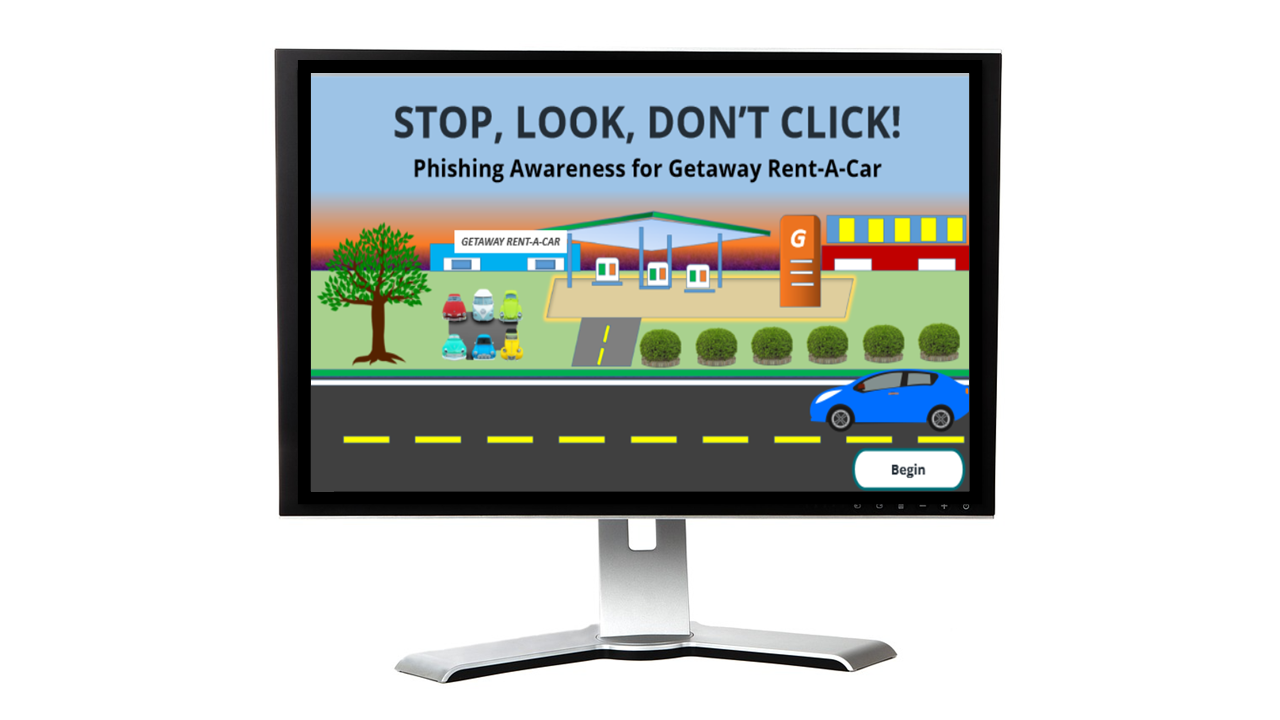
To solve the problem, I recommended a multi‑level approach that began with a scenario‑based eLearning experience. This allowed employees to interact with realistic phishing emails and practice choosing the right response. Scenario‑based learning pulls learners in, builds confidence, and prepares them to handle real‑world threats.
eLearning was the right solution for several reasons:
In addition to the eLearning experience, I recommended several ongoing reinforcement strategies to keep employees alert and confident when facing phishing threats.
Using all four components together ensures employees stay up to date, build lasting confidence, and remain vigilant in identifying and reporting cyber threats.
Using the ADDIE model and working closely with my subject-matter expert, I designed interactive phishing‑awareness scenarios to change behavior and reduce human‑related cybersecurity incidents.
Analysis & Action Mapping
Identified the specific actions employees needed to take, spotting red flags, avoiding unsafe clicks, and reporting suspicious emails—rather than focusing on knowledge retention alone.
Storyboarding
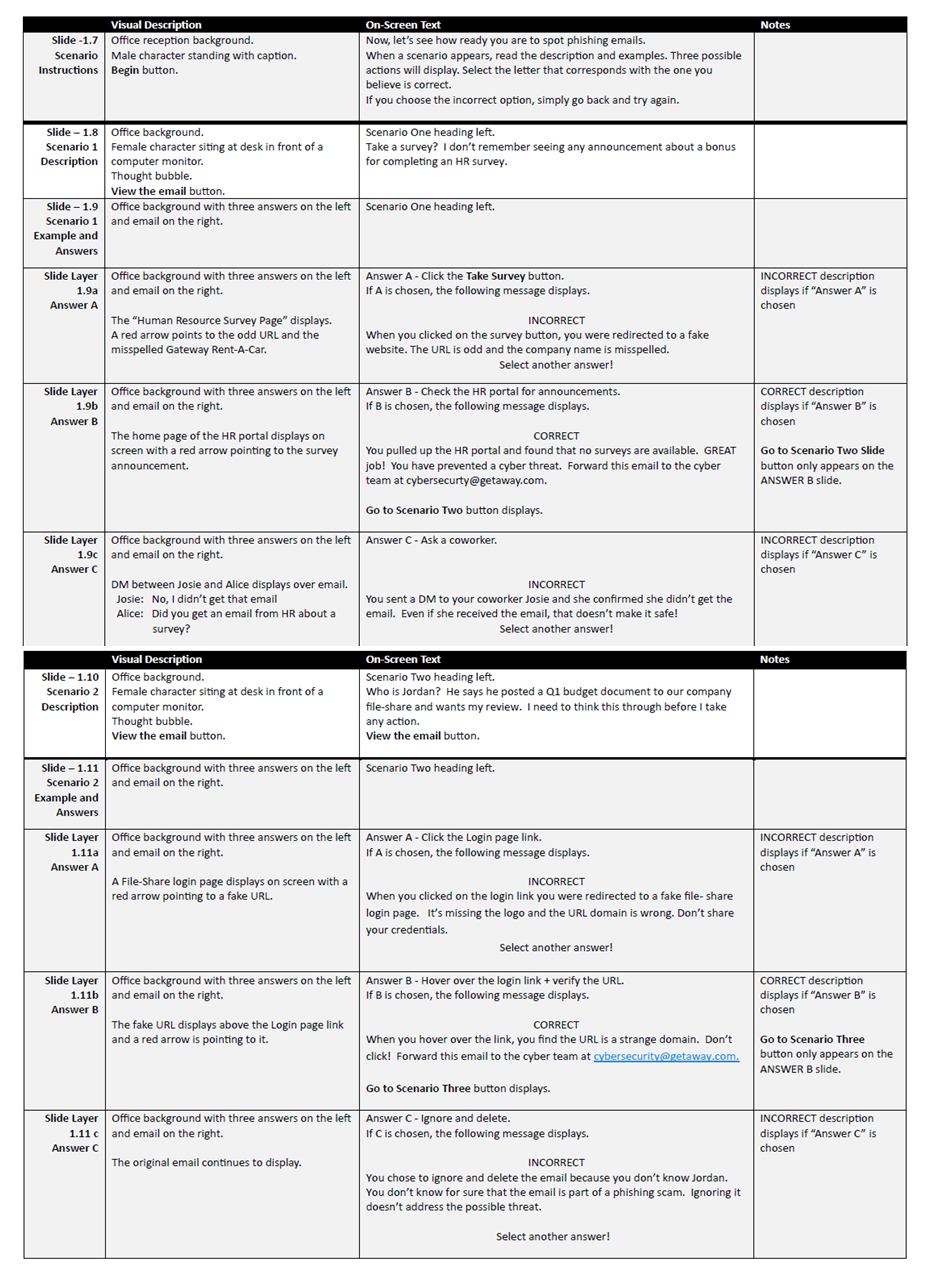
Developed realistic phishing email scenarios with branching choices and immediate feedback that clearly showed the consequences of unsafe behaviors.
Visual Mockups
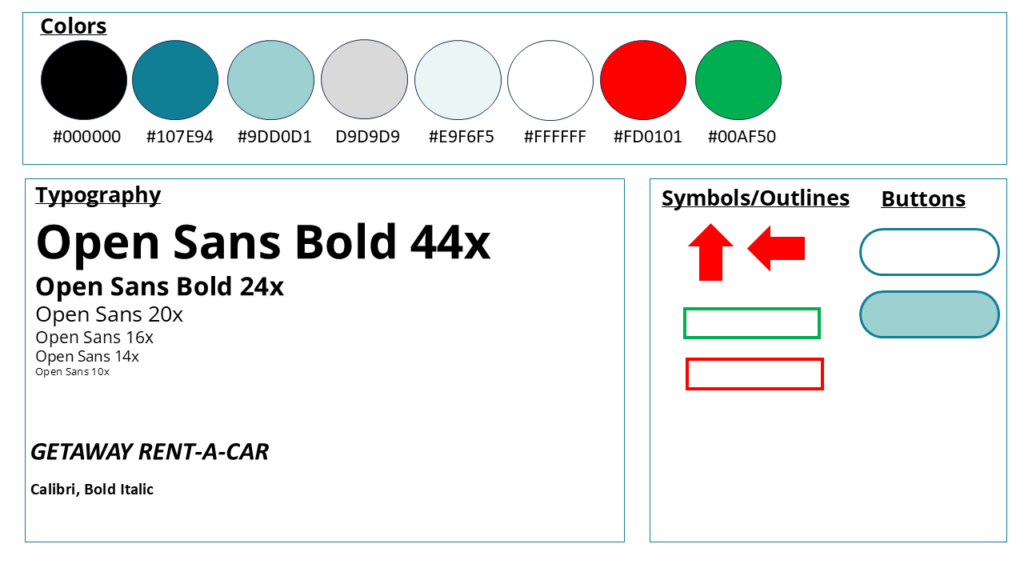
Created a complete visual design system, including mood boards, style guides, and interface templates, to ensure a consistent and engaging user experience.
Interactive Prototype
Built an Articulate Storyline prototype to test scenario flow, decision points, and feedback mechanisms before full development.
Full Development
Refined scenarios based on SME and instructional design feedback, then completed the final course build in Articulate Storyline.

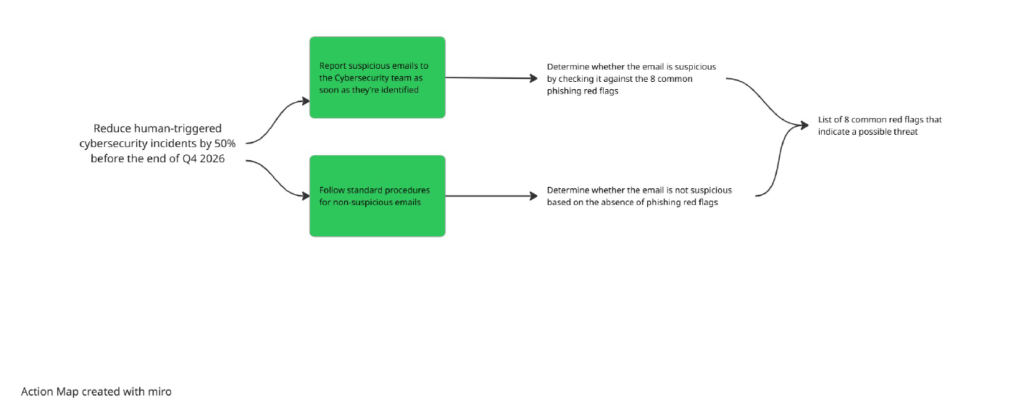
While working with my SME, I used Cathy Moore’s Action Mapping process to focus on what employees needed to do to prevent phishing scams, not just what they needed to know.
After defining the business goal of reducing human‑related cybersecurity incidents before 50% by the end of Q4 2026, we used the action map to pinpoint the key behaviors employees need to demonstrate. Those behaviors became the foundation for the scenarios in the eLearning experience.
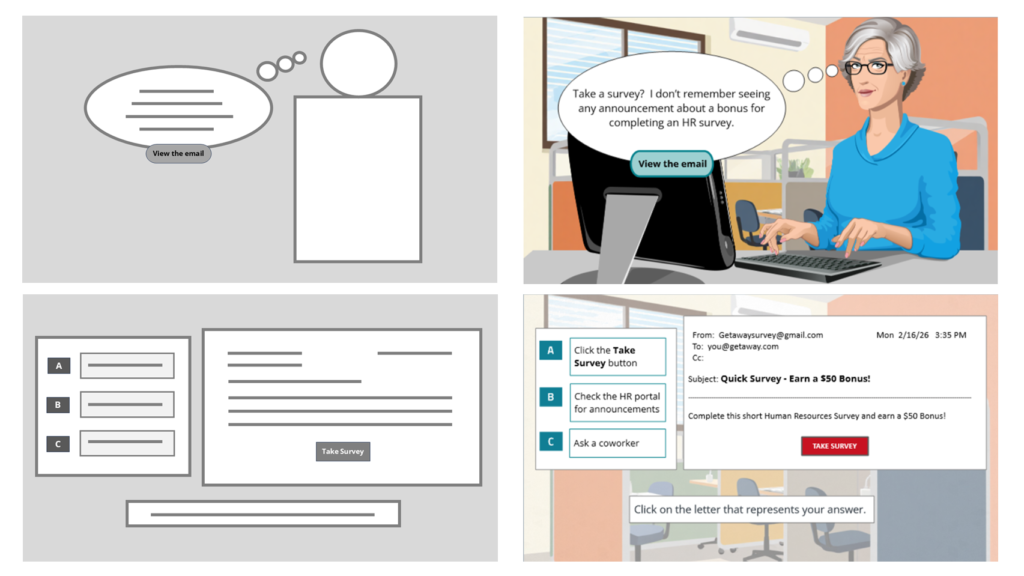
Once the high‑priority actions were defined, I created relatable scenario‑based examples that reflect everyday workplace interactions. Each scenario was written in a natural, conversational voice to help learners see themselves in the situation.
At each decision point, the scenario moves forward based on the learner’s choice, showing the natural consequences in a safe, risk‑free environment. This approach lets learners make mistakes, understand the impact, and connect their actions to real‑world outcomes.
Correct choices move the scenario ahead, while incorrect ones reveal the consequences and offer a clear “Try Again” moment to reinforce the right behavior.
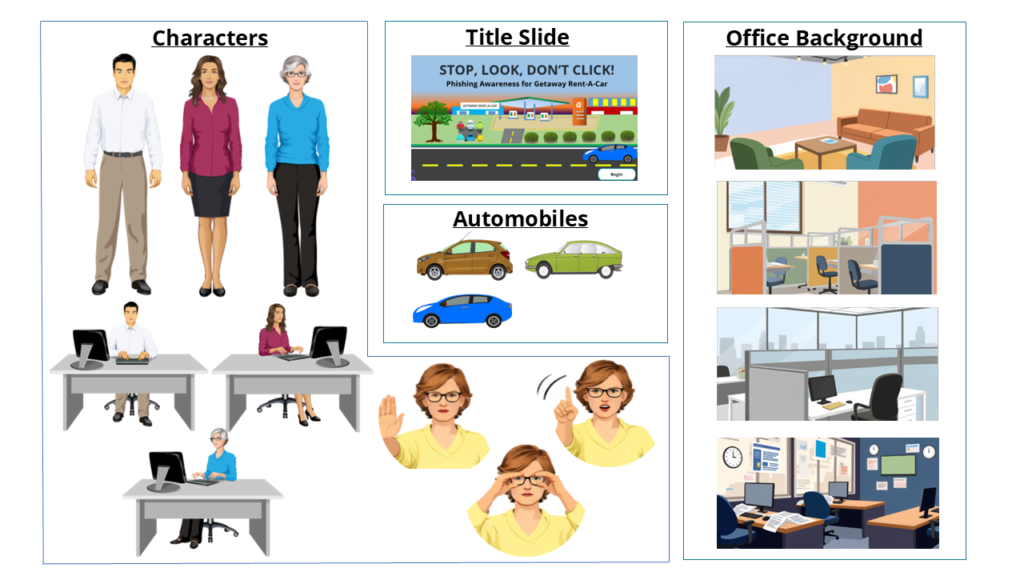
With the story finalized, I used Articulate Storyline to create the mood board, style guide, and wireframes that established the course’s overall look and user experience. I selected teal as the primary color to support clear thinking, open communication, and learner confidence throughout the scenarios.
From there, I sourced graphics directly from Articulate and Canva and designed some using ChatGPT. These mockups helped determine the placement of interactive elements.
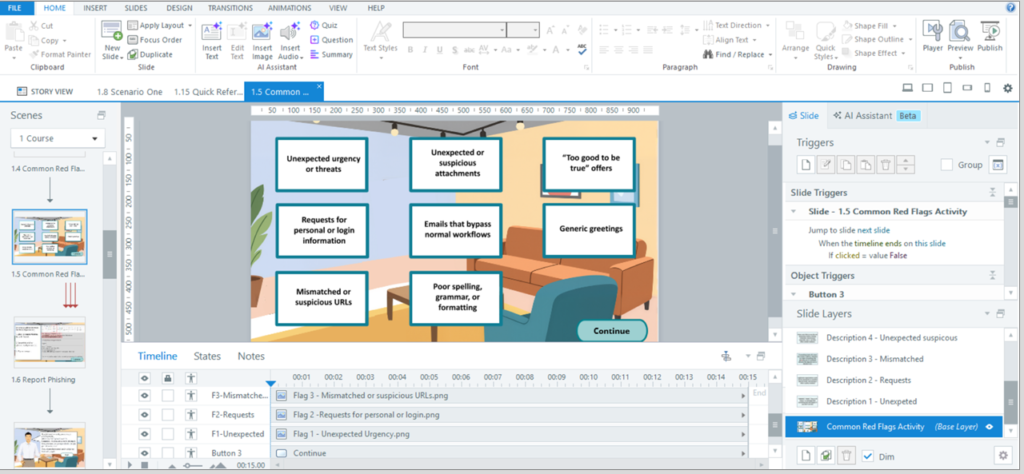
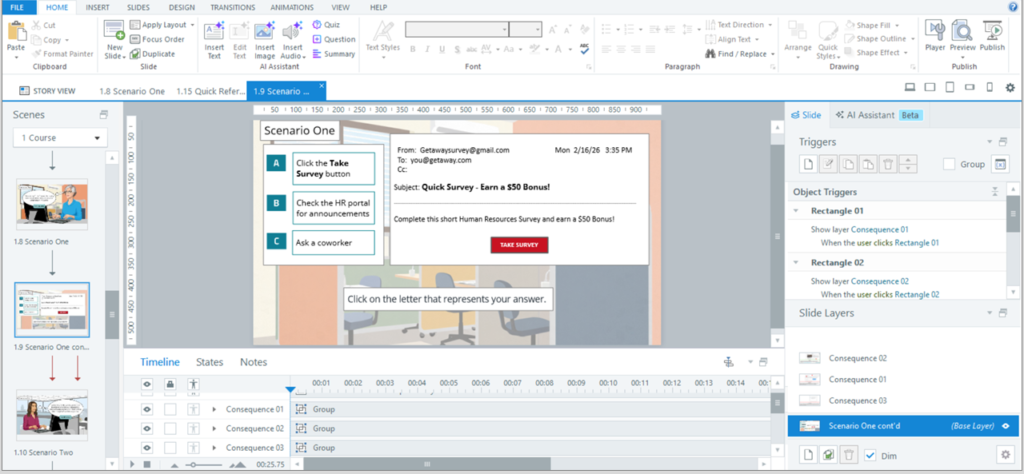
I built an interactive prototype in Articulate Storyline that included the common red-flag activity and scenario one. With the content already approved, my focus shifted to visuals and programming, using triggers, layers, and clean interactions to shape the learner experience. I gathered feedback through Review 360 from a cybersecurity SME, an instructional designer, and a senior leader, then refined spacing, prompt text, button design, and overall usability to ensure the experience felt intuitive and realistic for learners.
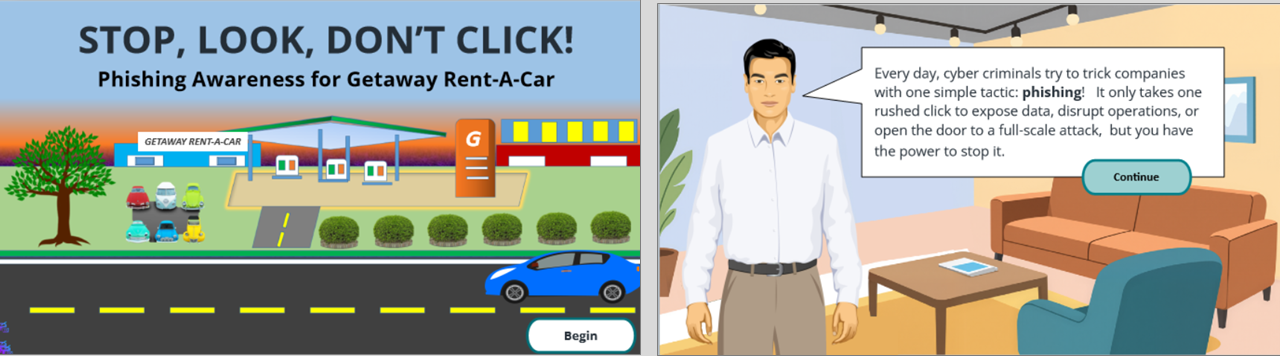
Once the prototype’s look and functionality were solid, I moved into full development. Using feedback from the interactive slides, I built the second and third scenarios and multiple conclusions. Because the design and programming decisions had already been made, this stage moved quickly.
Because this was a concept project, it wasn’t formally launched, but in a real implementation, I would evaluate its impact using a full Kirkpatrick approach. I’d start by measuring learner reaction and knowledge gains, then track on‑the‑job behavior to confirm that employees are spotting red flags, avoiding unsafe clicks, and reporting suspicious emails consistently.
From there, I’d review performance metrics with IT and leadership to determine whether the training contributed to the business goal of reducing human‑related cybersecurity incidents by 50% by the end of Q4 2026. If the data showed gaps, I would refine the solution through expanded scenarios, targeted coaching, or additional performance‑support tools to strengthen the behaviors that matter most.
This approach ensures the training doesn’t just inform, but drives measurable and lasting change.