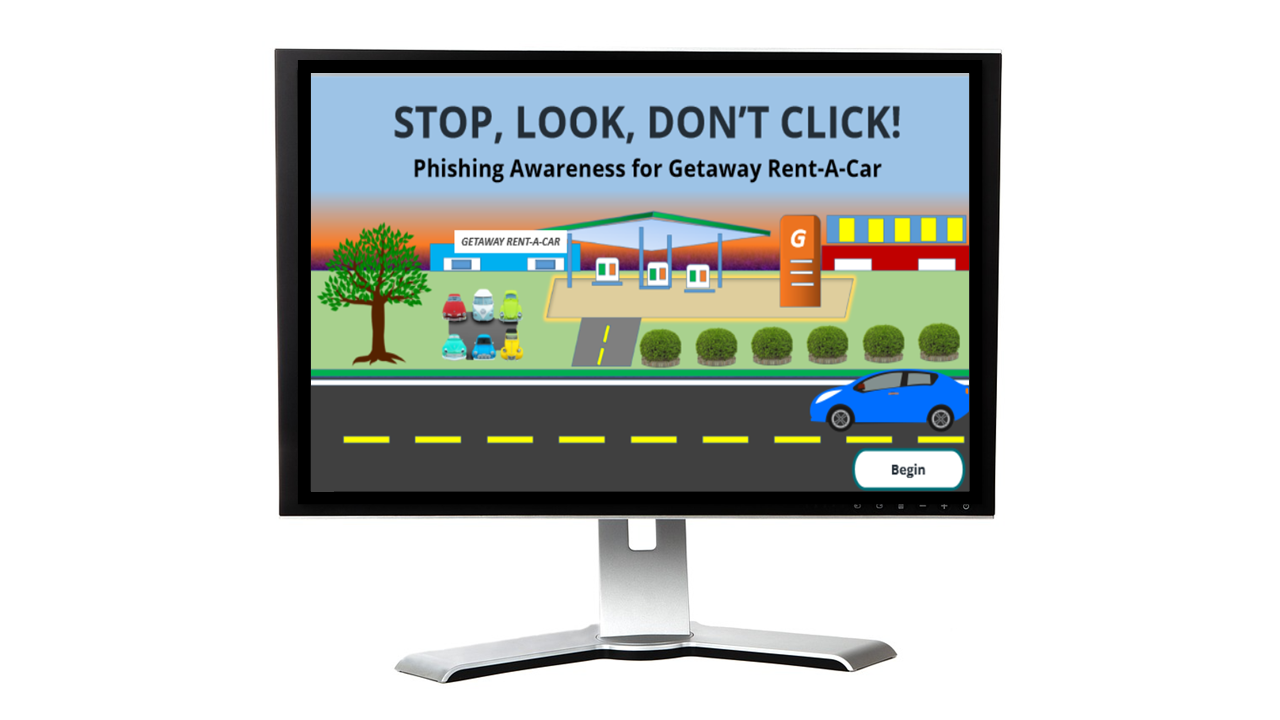
Spot the red flags and build your confidence to avoid phishing threats!

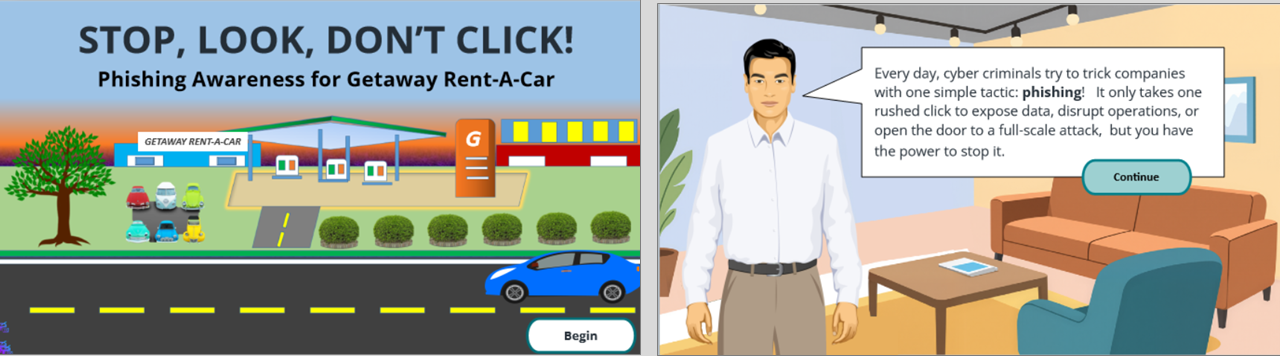
STOP, LOOK, DON'T CLICK!

Audience

All employees with access to the Getaway Rent-A-Car network, including those at corporate headquarters and rental offices nationwide.

Responsibilities

  • Instructional Design
  • Needs Analysis
  • E-learning Development
  • Visual Design

Tools Used

  • Articulate Storyline
  • Canva
  • Figma
  • ChatGPT
  • Copilot

The Problem

Getaway Rent-A-Car is a fictional nationwide rental company serving business and leisure travelers. With 308 employees across corporate and airport locations, the company experienced two phishing‑related data breaches in the past six months—one compromising vendor data, the other a fake password reset completed by 75% of recipients.

Leadership knows this can’t continue. They’ve set a goal to reduce phishing threats by 50% this year. While they’d prefer 100%, they worry an aggressive target could create unnecessary anxiety. My research also showed they haven’t provided cybersecurity training in 10 years, and the IT department has not implemented technical controls to detect or stop threats.

The Solution

To solve the problem, I recommended a multi‑level approach that began with a scenario‑based eLearning experience. This allowed employees to interact with realistic phishing emails and practice choosing the right response. Scenario‑based learning pulls people in, builds confidence, and prepares them to handle real‑world threats.

eLearning was the right solution for several reasons:

  • It’s flexible, scalable, and works seamlessly across in‑person, hybrid, and remote environments.
  • Managers can reuse the training for onboarding, performance support, and annual recertification.
  • It directly addresses the company’s current challenges and supports their goal of reducing phishing incidents on time.

In addition to the eLearning experience, I recommended several ongoing reinforcement strategies to keep employees alert and confident when facing phishing threats.

  • Workstation placards outlining common phishing red flags and clear steps for reporting suspicious emails.
  • Annual recertification through the updated online course to ensure employees stay current as cybercriminal tactics evolve.
  • Monthly phishing drills sent to a random group of employees to test their skills in real time. Anyone who fails would complete a refresher course or receive one‑on‑one coaching from their manager.

Using all four components together ensures employees stay up to date, build lasting confidence, and remain vigilant in identifying and reporting cyber threats.

My Process

Using the ADDIE framework and close collaboration with my subject matter expert, I designed interactive phishing‑awareness scenarios focused on changing behavior and reducing human‑related cybersecurity incidents.

Analysis & Action Mapping
Identified the specific actions employees needed to take—spotting red flags, avoiding unsafe clicks, and reporting suspicious emails—rather than focusing on knowledge retention alone.

Storyboarding
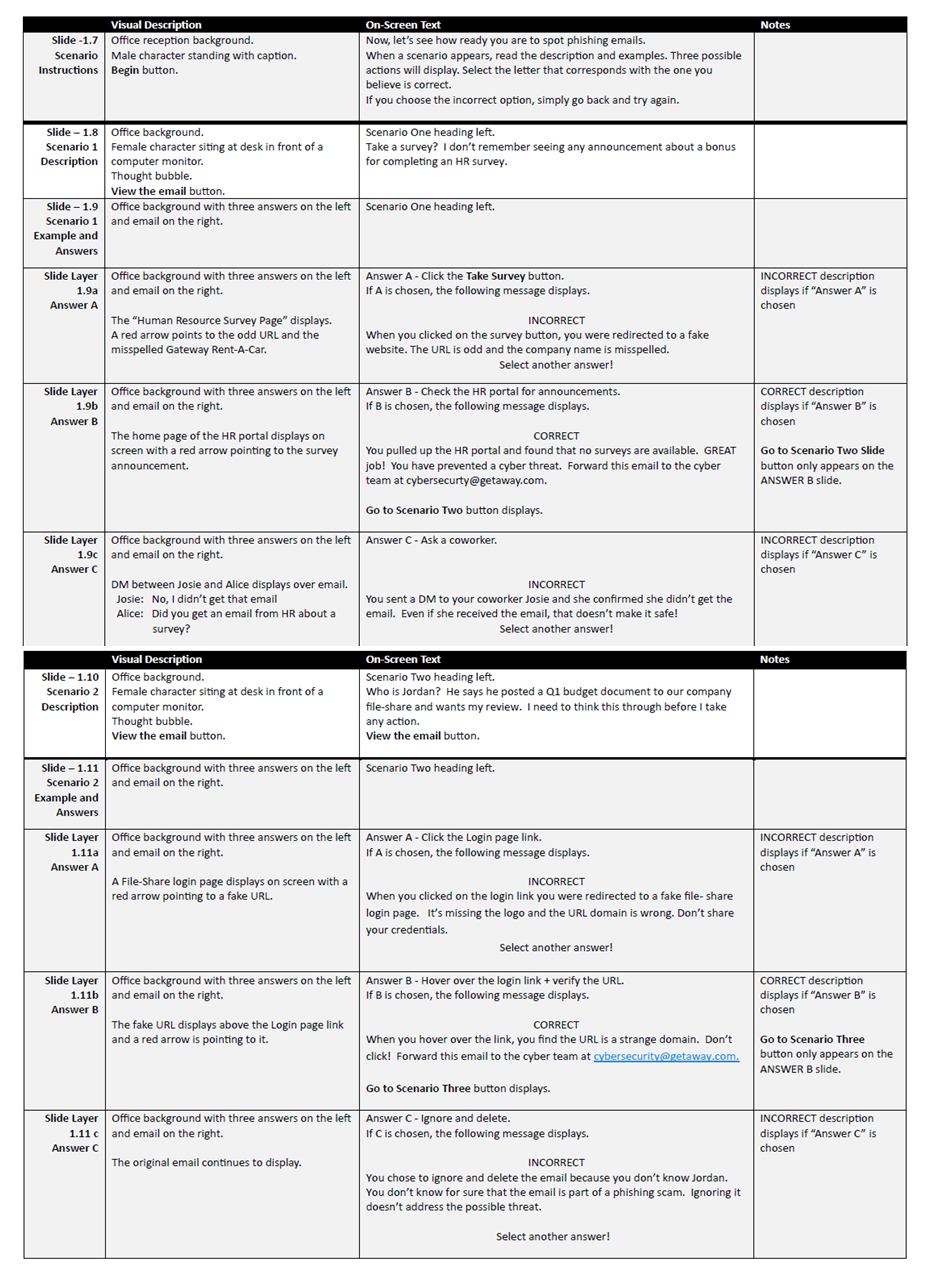
Developed realistic phishing email scenarios with branching choices and immediate feedback that clearly showed the consequences of unsafe behaviors.

Visual Mockups
Created a complete visual design system, including mood boards, style guides, and interface templates, to ensure a consistent and engaging user experience.

Interactive Prototype
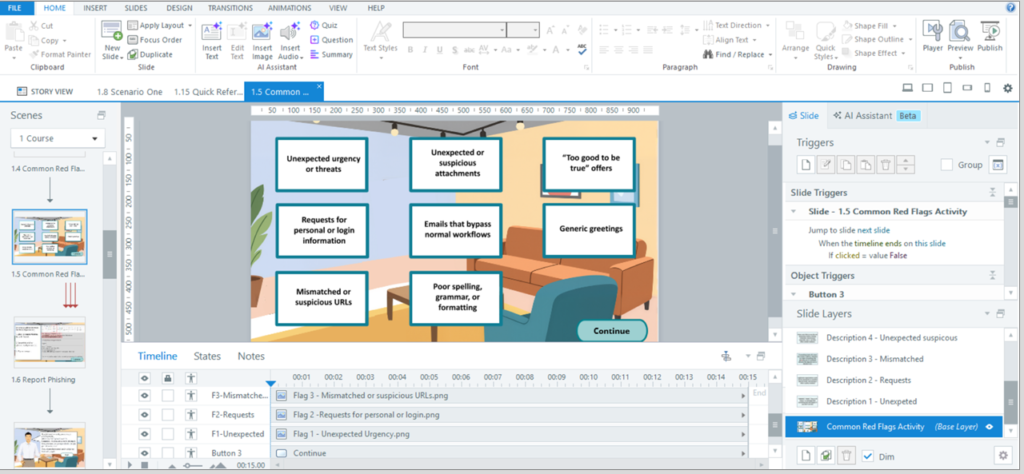
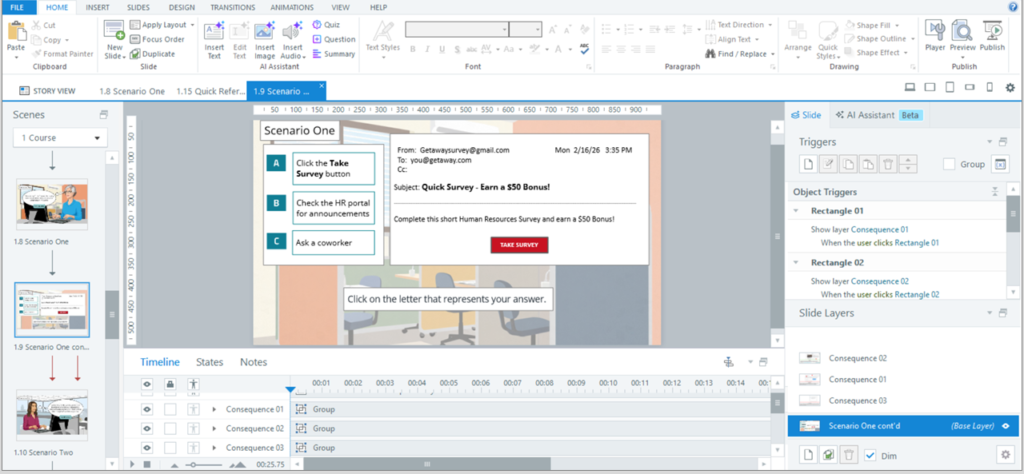
Built a Storyline 360 prototype to test scenario flow, decision points, and feedback mechanisms before full development.

Full Development
Refined scenarios based on SME and instructional design feedback, then completed the final course build in Storyline 360.

Analysis-Action Mapping

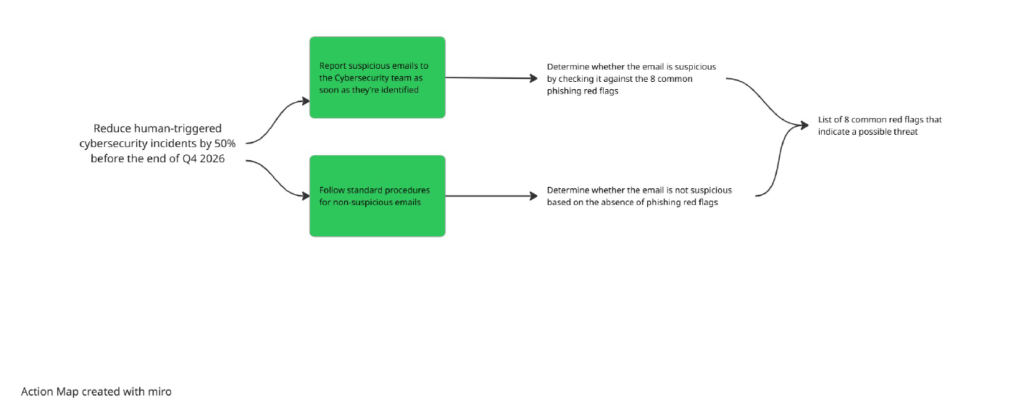
While working with my SME, I used Cathy Moore’s Action Mapping process to focus on what employees needed to do to prevent phishing scams, not just what they needed to know.

After defining the business goal of reducing human‑related cybersecurity incidents by 50% by the end of Q4 2026, we used the action map to pinpoint the key behaviors employees need to demonstrate. Those behaviors became the foundation for the scenarios in the eLearning experience.

Text-Based Storyboard

Once the high‑priority actions were defined, I created relatable scenario‑based examples that reflect everyday workplace interactions. Each scenario was written in a natural, conversational voice to help learners see themselves in the situation.

At each decision point, the scenario moves forward based on the learner’s choice, showing the natural consequences in a safe, risk‑free environment. This approach lets learners make mistakes, understand the impact, and connect their actions to real‑world outcomes.

Correct choices move the scenario ahead, while incorrect ones reveal the consequences and offer a clear “Try Again” moment to reinforce the right behavior.

Visual Mockup

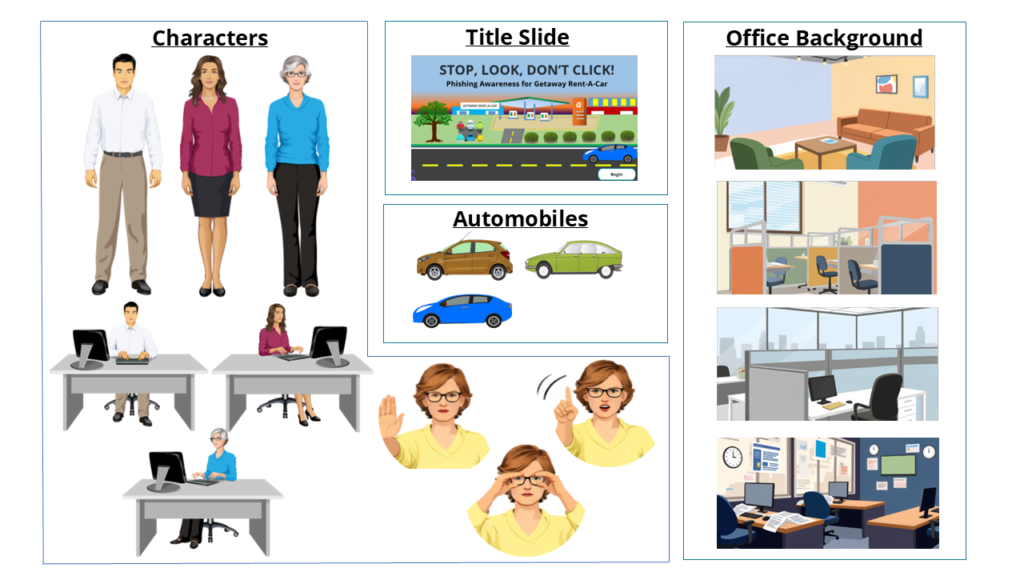
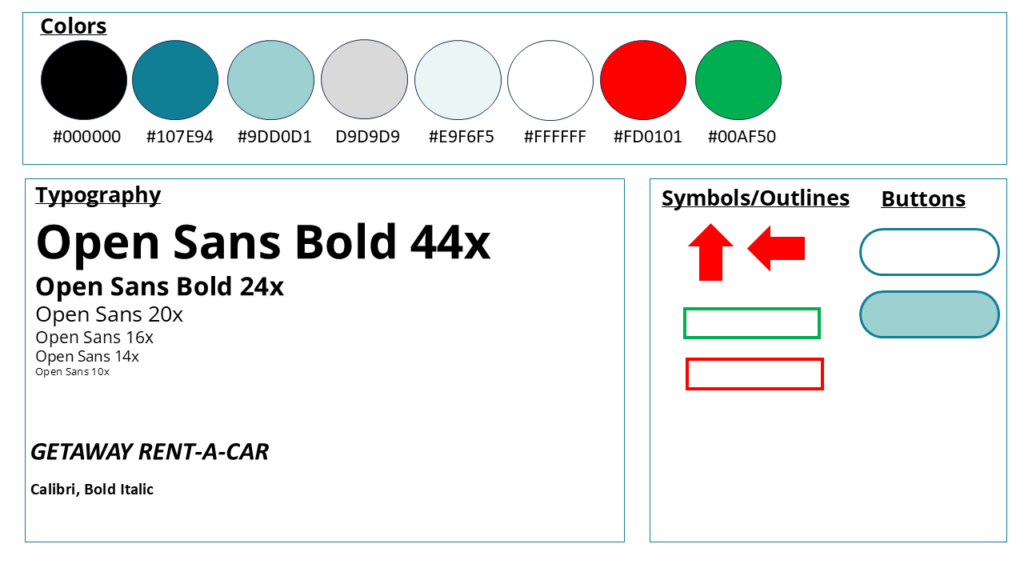
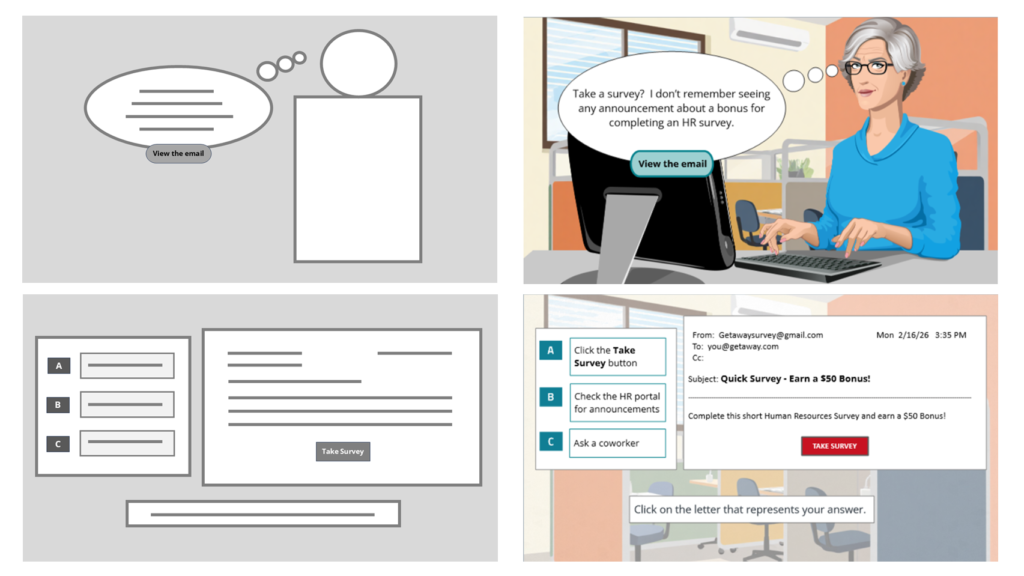
With the story finalized, I used Figma to create the mood board, style guide, and wireframes that established the course’s overall look and user experience. I selected teal as the primary color to support clear thinking, open communication, and learner confidence throughout the scenarios.

From there, I designed high‑fidelity mockups using sourced images and AI‑generated graphics from tools like OpenArt and Canva. These mockups helped determine the placement of interactive elements and the mentor character’s feedback.

Interactive Prototype

Explain

Full Development

Explain

Results and Takeaways

Explain